
Install the official bt2777 app and enjoy Sports Betting, fish games, Live Casino, and bingo anytime, anywhere. Instant payments via Mobile Banking, Nagad, and Rocket.
Choose the right version for your device
The bt2777 Android app is available as an APK file. Download and install it directly without the Play Store. The file is only a few megabytes, so installation is quick.
The bt2777 iOS version runs smoothly on both iPhone and iPad. You can add it to your home screen as a PWA via Safari, or install the app directly.
You can access all bt2777 features without installing the app, simply through a mobile or desktop browser. Works on Chrome, Firefox, and Safari.
Mobile gaming is no longer just a way to pass the time — it's a complete entertainment experience. The bt2777 app was built with exactly that in mind. The entire interface is in Bangla for Bangladeshi players, and payments are supported via Mobile Banking, Nagad, and Rocket, so users never have to deal with unnecessary hassle.
On many platforms, the web version works well but the mobile app feels sluggish or has fewer betting options. That is not the case with bt2777. The app offers Sports Betting, Live Casino, fish games, and bingo — all fully featured. Game load times are noticeably faster and touch controls are more responsive.
The bt2777 app includes a low-data mode to conserve mobile data. Games won't hang even on a weak network, making it especially useful for users in rural areas or on a 3G connection.
Installing the bt2777 Android APK is much like installing any standard app. However, since it is outside the Google Play Store, you will need to enable "Unknown Sources" in your phone's settings. This typically takes no more than a minute.
Download the APK file from the official bt2777 site, then tap it in your file manager and follow the on-screen instructions to complete installation. The whole process takes five minutes at most. Once installed, the bt2777 icon will appear on your home screen.
IPhone and iPad users can take advantage of bt2777's PWA (Progressive Web App). Open the bt2777 site in Safari, tap the Share button, and select "Add to Home Screen". bt2777 will be added to your home screen just like a full app — with fast loading, notification support, and no browser address bar.
A native app for iOS is also available — after registering, contact the support team and an installation link will be sent to you. bt2777's 24-hour Bengali live chat support can assist you with this instantly.
The official bt2777 APK is virus-free and SSL encrypted. Avoid downloading from third-party sites.
Enable low-data mode in the bt2777 app settings. Games will run smoothly even on 3G.
Get bonus offers, deposit rewards, and special event updates delivered straight to your phone.
Bt2777 regularly rolls out new features. You can get the latest version using the "Check for Updates" button inside the app.
The bt2777 app supports Android 6.0 and iOS 13 and above, running smoothly even on phones that are 3–4 years old.

Just follow the steps below and the bt2777 app will be up and running on your Android phone in minutes.
IPhone and iPad users can add bt2777 to their home screen using the PWA method.
See the differences between the bt2777 app and web version at a glance.
| Features | App | Web |
|---|---|---|
| Loading Speed | Fast | Medium |
| Push Notifications | ||
| Offline Mode | Partial | |
| Data Saving | ||
| Installation Required | Yes | No |
| All Games Available | ||
| Bangla Support | ||
| Mobile Banking / Nagad Payment |
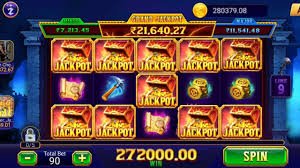
Downloading the app puts bt2777's full gaming library at your fingertips. The Sports Betting section lets you place live bets on cricket, football, badminton, and all major local and international tournaments. IPL, BPL, Premier League — real-time odds are updated for every match.
The Fish Game section features underwater shooting games across multiple themes and difficulty levels. Beginners can start on easy levels, while experienced players can jump into high-stakes tables. bt2777's Fish Game also includes a multiplayer mode, so you can compete against other players in real time.
The Live Casino section lets you play Baccarat, Roulette, Dragon Tiger, and Teen Patti with real dealers. HD streaming makes the experience even better on the app. The Bingo section runs special events at scheduled times every day, giving you the chance to win extra prizes.
Making a deposit on the bt2777 app is simple. Tap the wallet icon, choose your payment method — Mobile Banking, Nagad, or Rocket — enter the amount, and confirm. In most cases, your balance is credited within 5 minutes.
Withdrawals work the same way. To cash out your winnings, go to the cashout section in the app, enter the amount, and confirm your mobile banking number. Funds typically arrive within 15 minutes to 24 hours. Larger withdrawals may take a bit longer.
Some users occasionally see an "App not installed" error when installing the APK. The most common cause is Unknown Sources not being enabled — go to Settings > Security to turn it on. Another possible cause is insufficient storage; make sure you have at least 100 MB of free space.
If the app crashes or slows down, force stop it and reopen it. Clearing the cache usually fixes the issue too. Keeping the bt2777 app updated to the latest version takes care of most bugs automatically. If problems persist, contact live chat support in Bengali for a quick resolution.
| Android | 6.0 or above |
| IOS | 13.0 or above |
| APK Size | ~28 MB |
| RAM | 2 GB or More |
| Internet | 3G/4G/WiFi |
| Storage | 100 MB Free |
New users who download the bt2777 app and register for the first time may be eligible for a welcome bonus. Register to find out more.
Register NowFrequently Asked Questions About the bt2777 App Download
Register, install the app, and start enjoying Bangladesh's best online gaming experience. Instant payments via Mobile Banking, Nagad, and Rocket.